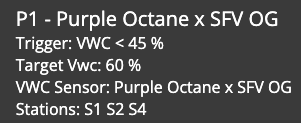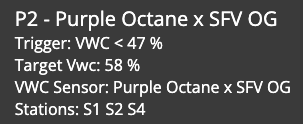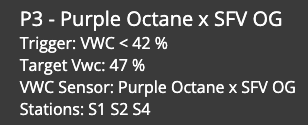
Just curious, for anyone using the OpenSprinkler integration with their Pulse Hub VWC setups: how have you implemented your irrigation strategy so far via the programs?
I’m still in an early testing stage. And so far, I’m easily able to deal with P1 ramp up. But I’m struggling a bit with how to handle P2 “the right way” (whatever that means to you, the reader). I have my P1 setup like this:

- P0: 8AM is lights on
- P1: can start anytime 9AM - 3PM, if VWC goes below 23%
What I’d really like to do now, but not sure if I can express this in Pulse, is say “If P1 ran, and it’s after 3PM, run this P2 maintenance program until [my P3 dryback start time].” Is there some way to express this logic? If not, how are other folks addressing that sort of thing?
As an external solution, I know via MQTT topics from OpenSprinkler I should be able to track the run-once programs that Pulse Hub is firing to OpenSprinker. And from there, my app could know P1 executed, then it could enable a P2 program to run after 3PM this day. But I’m curious if there’s a way I can do it without scripting it myself.